No Google Play listing, no App Store listing, and no APK file to download
Mobile play
Rocket Play sits on neither Google Play nor the App Store, and the casino publishes no APK anywhere. What you install instead is the site itself: a progressive web app your browser saves as a home-screen icon, opens full screen, and keeps signed in. Twenty seconds on either platform, and the account behind it is the one you already have.
18+ only. Rocket Play runs offshore under a Curacao licence and holds nothing from an Australian regulator. Play within your means.
Short answer first, because most pages on this subject bury it.
No native one, no. Search either store for a rocket play casino app and you scroll past somebody else's product every time.
That is policy, not evasion. Both stores want a local licence before they will host real-money gambling software, and an offshore Curacao operator taking Australians cannot show one. Plenty of brands answer that by paying a third party to wrap their site in a binary and pushing it round the internet. RocketPlay has not, and the restraint is worth a nod. What exists instead is a progressive web app — the site, built to be installed.
Nothing to download, nothing to update. The casino ships a change on Tuesday and you have it on Tuesday.
Four taps in Chrome. Faster than reading about it.
Start in Chrome even if you normally use something else. Samsung Internet manages it too, with the menu item buried deeper. The harder privacy browsers either hide the option or hand you a plain bookmark that behaves like a tab.
Load rocketplay32.com in Chrome, or use the tracked link on this page. Chrome carries the install machinery on Android, so a privacy browser may hide the option entirely.
Tap the three dots at the top right. Let the lobby finish loading first, because a page still fetching its assets sometimes has not registered what Chrome checks for.
The wording shifts between Chrome versions and either one does the job. If neither appears, reload the page once and open the menu again.
Accept the prompt and the icon lands on your home screen carrying the site's own mark. Open it there and the site fills the display, no address bar above it.
Notice what the sequence never asks for: a permission, a file manager, a security setting switched off. A rocket play casino app download page wanting any of those is not the casino.
Same result, different button, one trap.
Open the casino in Safari. Tap the Share button, the square with an arrow leaving it, at the foot of the screen. Scroll the sheet until Add to Home Screen appears, two-thirds down past the sharing options nobody uses. Name it short, since iOS truncates, then tap Add.
Now the trap, which catches more iPhone readers than anything else here. Only Safari offers it. Chrome for iOS, Firefox, Edge, DuckDuckGo: every one draws on Apple's own engine underneath, yet Apple keeps the home-screen install for itself. People look in Chrome's share sheet, find nothing, and decide the whole thing is impossible on an iPhone — which is precisely when they go hunting for an APK they could not use anyway.
Two quirks worth knowing. iOS reclaims storage from web apps it has not seen in a while, so an icon ignored for a month may ask you to sign in again. And the shortcut runs in its own window, so a session started in a Safari tab does not carry across.
The search term is real. The file behind it is not the casino's.
The mechanism, plainly. An APK is Android's installer format, the container a Play Store app arrives in. Taking one from outside the store is called sideloading: you grant your browser permission to install unknown apps, tap the file, done. That path exists for real reasons — developers testing builds, regions with no Google store — and none of them describes a casino that already installs from a browser menu.
So, the honest answer to a rocket play apk search: it does not exist in any form the casino stands behind, and what replaces it is better anyway.
Modest requirements, because there is no package to run.
These are a web app's needs, not the specifications of a published binary. No version number to quote, no minimum build to match. Current browser, and you are in.
| Requirement | What it means in practice |
|---|---|
| Android | A recent Chrome on a current Android release. Anything sold in the last five years copes. On older builds the site still loads in a tab; the install prompt goes missing first. |
| iPhone and iPad | Safari on a current iOS or iPadOS. Add to Home Screen has been there for many years, so age is rarely the blocker — using the wrong browser is. |
| Storage | Negligible. A shortcut plus cached images, fonts and scripts, in single-digit megabytes rather than the hundreds a native casino package would claim. |
| Data use | Pokies are light: a few megabytes per title, very little per spin. Streamed live tables are the heavy part, being continuous video on a capped plan. |
| Connection | A stable 4G or 5G signal, or NBN over home Wi-Fi. Stability beats raw speed. A patchy handover between towers drops a live table long before slow broadband would. |
Nothing unusual there for a handset bought in Sydney or Perth. The one real constraint is live dealer play on mobile data, and that is your plan rather than your phone.
Both open the same site. They do not feel the same.
The icon keeps its own cookie jar, so a login survives when you clear browsing data. A tab shares the pile with everything else and goes out with it.
No address bar, no tab strip, no bottom toolbar. That extra band of pixels matters most on Megaways grids trying to fit six columns onto a phone.
Where the operating system permits it and the site chooses to use it, an installed web app can raise a prompt in a way a closed tab never can. Whether RocketPlay sends any is up to the operator, and we have not seen it publish a position either way.
One tap on an icon you saved yourself, pointing at an address you checked once. That is a safety feature as much as a convenience.
The downside deserves its own line, because nobody else writing about this puts it down. A casino icon is easy to tap without having decided to. It sits between your banking app and your camera, and the friction that used to exist has gone. That friction was doing a job. If you would rather keep it, stay with a bookmark and read the limit options on responsible gambling.
What the lobby does with only a phone to work with.
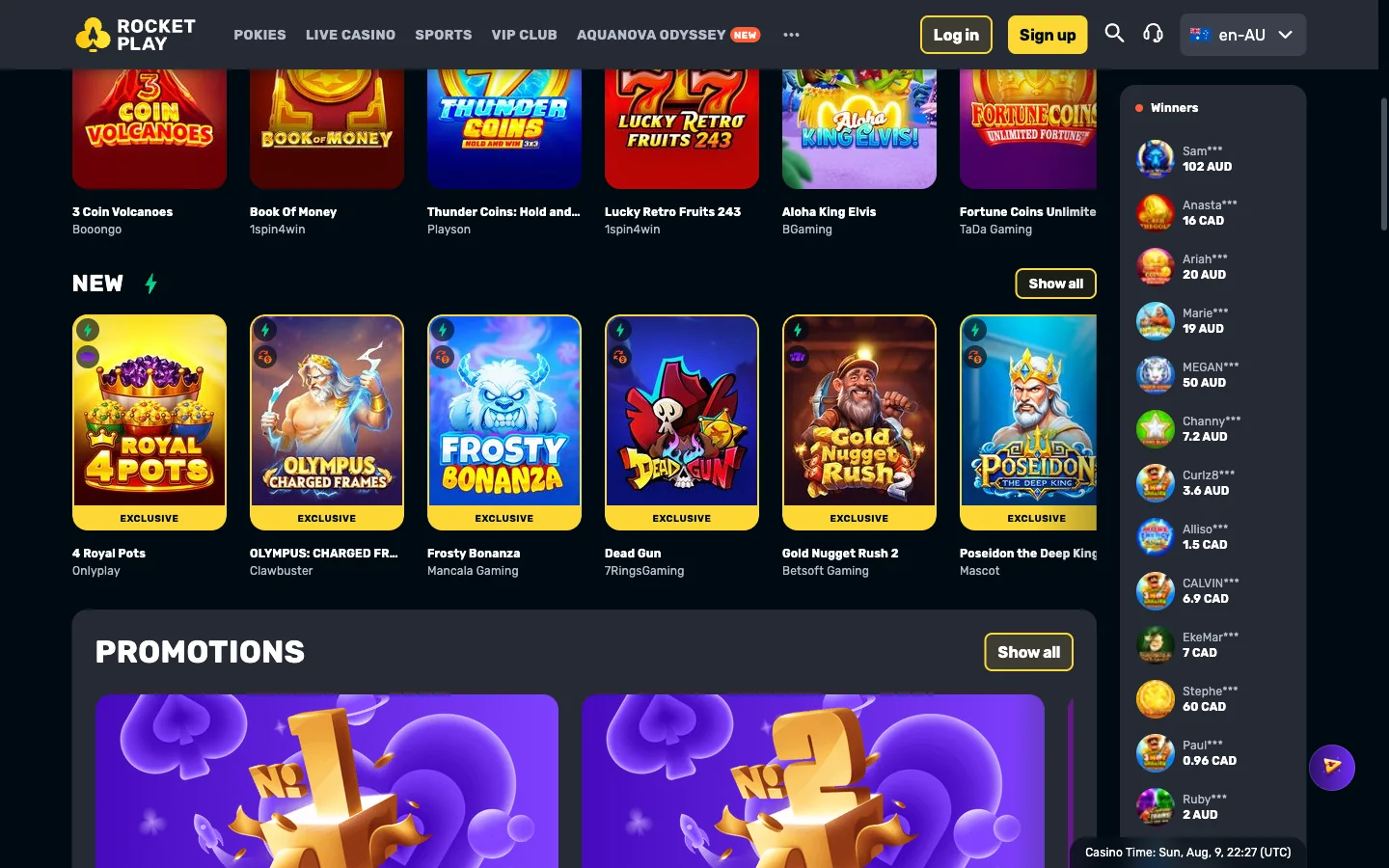
It reflows rather than shrinks. Category tabs become a strip you swipe, the grid drops to two columns, the winners feed collapses to a thin ticker, and search hides behind the magnifier. Searching beats scrolling on a phone. What sits in those rows is covered on the pokies page.
Modern pokies are built portrait-first and it shows. Reels, buttons and balance all fit above the fold, bet controls land under your thumb, and a paytable opens as a full-screen overlay instead of a squeezed panel. Some older titles still ask you to rotate the handset — less elegant, no harm done. Live dealer tables want the phone sideways and a steady signal, and they are the one part of the lobby that punishes a weak connection on a train out of Melbourne.
Because the icon opens the same website, nothing about the account is tied to a device. Deposit on a laptop at lunchtime and the balance is waiting on your phone that evening. Wagering progress, VIP level, AstroCoins and a spin batch countdown all live on the account, so you can start the welcome offer on one screen and finish it on another. Its terms sit on the bonus page; the daily batches are explained under free spins.
Six failures, and what is really behind each.
| Symptom | Likely cause | Fix |
|---|---|---|
| No install option in the menu | The page had not finished loading, or your browser never offers one. | Let the lobby settle, reopen the menu. Still nothing? Move to Chrome, or Safari on iPhone. |
| Chrome on iPhone has no Add to Home Screen | Apple gives that option to Safari alone. No setting adds it elsewhere. | Open the casino in Safari and install from the Share button instead. |
| The icon opens a browser tab | A plain link shortcut got saved rather than an installed app. | Delete it, redo it in Chrome or Safari, and check the prompt says install. |
| Blank screen after an update | A cached script no longer matches what the server sends. | Force-close and reopen. If it holds, clear site data for the domain and install again. |
| Site loads, sign-in refuses | Nothing to do with the install: a wrong password, stale autofill, a temporary lock. | Work through it on the login page, which takes the error messages one at a time. |
| Games stall or the icon vanishes | The phone is short on space, or a cleaner app reclaimed the cache. | Free some storage, exclude the browser from cleaning tools, reinstall. The account is untouched. |
Notice what is absent from that table: any fault that could cost you money. The worst outcome is an icon you make twice, because the balance was never on the phone.
Deleting a shortcut and closing an account are separate acts.
On Android, hold the icon and choose uninstall, or drag it to the bin at the top of the screen. Chrome also lists it under installed apps in its own settings, where the stored data can go at the same time. On an iPhone, hold the icon, tap Delete Bookmark, confirm. Either way the shortcut and its cache leave the handset.
Here is the part people get wrong. Removing the icon does not close your Rocket Play account, stop marketing email, or pause a bonus timer already running. The balance stays where it was, reachable from any browser the moment you sign in. If closure is what you want, ask in the round-the-clock live chat and use the word close so nobody logs it as a break — the way in is on the login page. Cash out first; timings sit on payouts.
A first deposit from A$30 unlocks a 100% match up to A$1,000 plus 100 free spins, delivered 20 a day across 5 days, wagered at x40 with no code to type.
Grab the offer on mobileStore listings, APK files, iPhones and storage.
No. Neither store carries a listing for this casino, and a search in either one returns other developers' products. The installable web app is the entire mobile offer.
Open the casino in Chrome, tap the three-dot menu, then pick Install app or Add to Home screen. Confirm, and an icon appears. Four taps, nothing downloaded.
Not from the casino. Any file sold as a RocketPlay APK was packaged by a stranger, and a download page tells you nothing about what went inside it.
Yes, through Safari. Share button, Add to Home Screen, name it, save. It then opens full screen like any other icon, though iOS reclaims idle storage sooner.
Barely any. A shortcut plus a cache of images and scripts runs to a few megabytes, nowhere near the hundreds a packaged casino program would claim.
No, and nothing needs migrating. The icon opens the same website a laptop opens, so one login covers every device, and balance and bonus timers follow the account.
You can. A deposit of A$30 or more triggers the 100% match up to A$1,000 plus 100 free spins, x40 wagering, no code on any device.
Apple hands that option to Safari alone. Other iOS browsers use the same engine underneath but cannot install to the home screen. Reopen the casino in Safari.
Longer than a tab does, because the shortcut holds its own storage that a tab clean-up leaves alone. Long idle stretches still end a session.
Hold the icon, then choose uninstall on Android or Delete Bookmark on iPhone. Shortcut and cache leave the handset. The casino account stays open until support closes it.